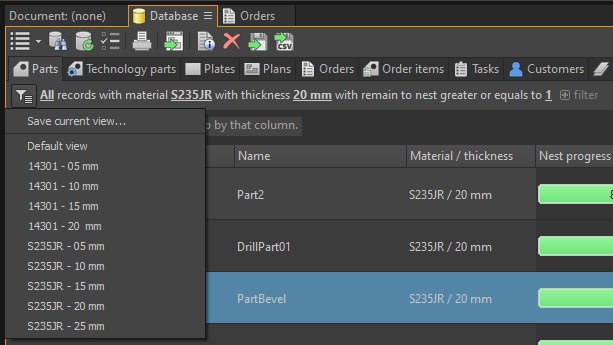
Hundreds of parts, plans, and orders in your database – and you need the right ones fast? The Smart Database Filter in OmniWin has you covered.
What makes it smart?
Define your filter criteria once – material, sheet thickness, order number, nesting status – and save them as templates. Next time, one click is all it takes to get exactly the view you need.
Real-world example: Save filters like "All unnested stainless steel parts 5 mm" or "Open orders – Customer X" as permanent views. Just like you can see in the screenshot – ready to use, every single day.